There's two expensive application suites that are almost considered a necessity to have on your computer: Microsoft Office, and Adobe Creative Suite. Many find ways around paying for the latter (alternate apps work, there's the cheaper Adobe Elements apps that work for most stuff, and such), but Office is a bit trickier.
Especially this year. After releasing Office 2013 for Windows and the new Office 365 subscription version of Office, traditional Office pricing has gone up. Used to, all editions of Office let one user install Office on up to two computers, which worked great if, say, you had a desktop and a laptop. Then, the Home and Student edition let you install Office on up to 3 computers in the same household, which was a great deal for families.
With Office 2013's release, now all editions of both Office 2013 and Office 2011 for Mac are only licensed to be installed on one computer. At least you're still allowed to transfer your Office license to a new computer if you need to, something Office 2013 oddly didn't allow at first.
The Cheapest Way to Get Office Today
So, if you want to purchase Office today, and not get it as part of a subscription, then here's your options:
Office Web Apps
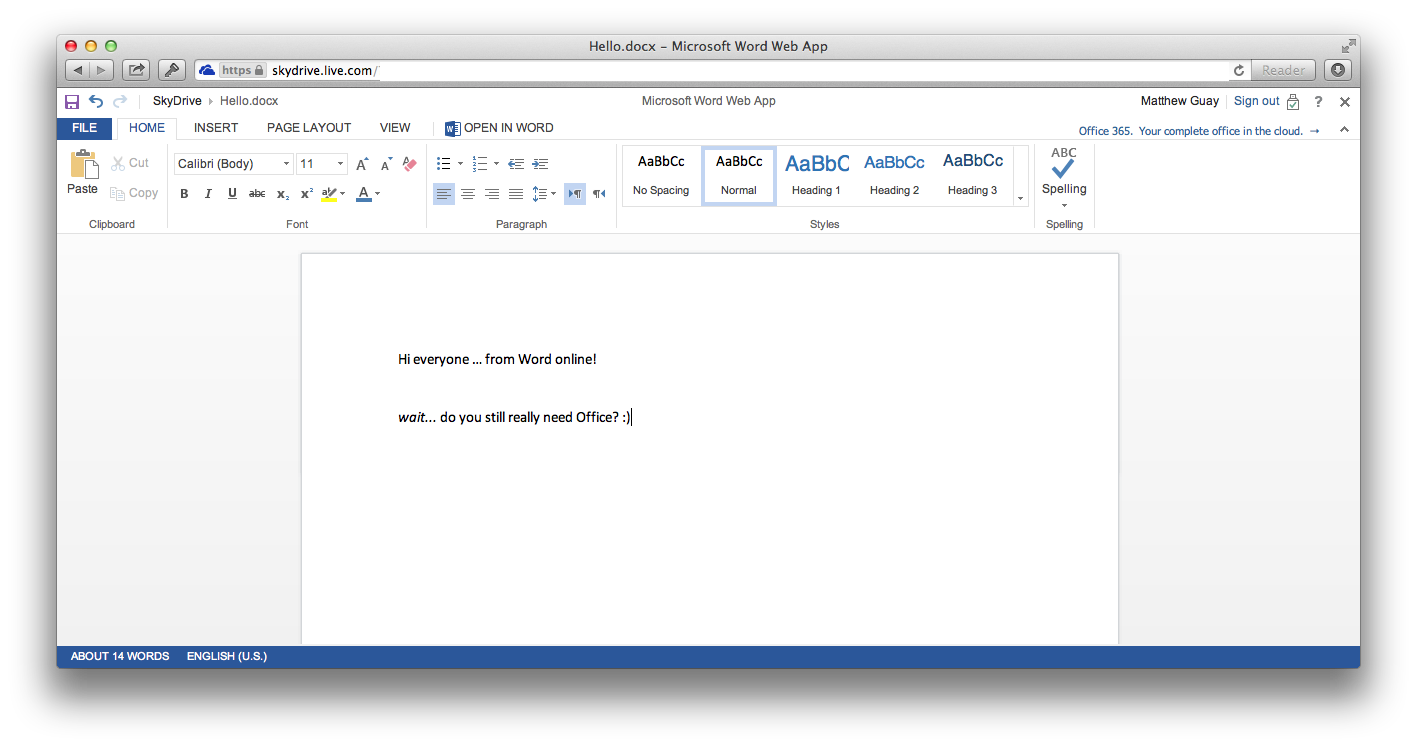
I know, I know: it's not real Office, but it's close enough for basic use, and it's free. It's the best option if you really need to go cheap on Office. Check out my full review of the Office 2013 refresh of the Office Web Apps at Web.AppStorm, or go try them out for yourself at SkyDrive. You might be surprised.
Real Office
Ok, so you want real Office to install on your computer? Here's the options today:
Office 356 - the subscription version of Office for Mac and PC
Office 2011 for Mac
Office 2013 for PC
Office 2010 for PC
Office 365
The first option — and easily the best if you have more than two or three computers — is Office 365 Home Premium, Microsoft's new subscription for Office. For $9.99/month or $99.99/year, you can run Office on up to 5 computers (Macs or PCs), get 20Gb extra Skydrive storage (a $10/yr value, though even that's way cheaper than, say, extra Dropbox storage), and 60 minutes of Skype calls per month (worth around $20/yr). You'll get full Office - Word, PowerPoint, Excel, Outlook, as well as Access and Publisher on a PC. If you'd pay for Skype and extra Skydrive storage as well, and have 5 computers in your household, it works out to around $14/computer/year.
Students get Office 365 University even cheaper: $79.99 for 4 years of Office 365 for 2 computers. That'd work out to around $10/computer/year.
If you're running a business, Office 365 for Business makes a fairly compelling choice as well if you do need Office, or even if you just need hosted email. You can get hosted Exchange email for your team starting at $4/month, and can get Office for your employees (and yes, they'll each be able to run it on up to 5 devices) for $12.50/month. You can check through the options and see what works for you. I'm actually considering giving the cheaper option a shot for my own domain's email, and have an upcoming AppStorm series about it. Stay tuned.
Oh, there's one more awesome feature in all versions of Office 365: you can run Office — full Office — from the web if you're away from your computer (though it only works on PCs). It lets you essentially stream the full-featured app, downloading the features you need as you need them, so you can use full Office anywhere. That's pretty nifty.
So, all of those are decent options if you have a lot of computers to use with Office, and if you want Microsoft's other services anyhow. The only problem is, you don't really own Office, and can't use it forever. It's a subscription. If you'd buy Office upgrades each time they come out, it likely won't work out more expensive, but you have to consider the best for you.
If you want real Office that you own, for good, then there's still options.
Office 2011 for Mac
Mac users don't have a new version of Office yet, but even still, the existing version of Office got slapped with the same 1 computer per copy of Office restriction. The good thing is, there's still copies of the original Office 2011 Home and Student Family Pack on Amazon, and it'll still get all of the latest updates. That'll get you Word, Excel, and PowerPoint for up to 3 Macs in the same house for ~$120. That's $40/Mac, and if you use it for 4 years without buying an upgrade, that'll cost $10/Mac/year.
Now, both of these prices are only for right now; as soon as those copies sell out, then Office 2011 will cost $119 per computer for Home and Student. Also, remember that Office for Mac is due for a refresh perhaps later this year, so if you can, it might make the most sense to hold off on a purchase, or go for Office 365 so you'll get updates included.
Office 2013 for PC
If you want Office 2013, even just for one computer, you're likely best to go with Office 365. Your cheapest options, otherwise, are Office 2013 Home and Student for $139.99, and Office 2013 Home and Business for $219.99. The former gets you Word, PowerPoint, Excel, and OneNote for home use, while the latter adds Publisher and Access and is licensed for business use.
Both options only are licensed for one PC, though the good thing is you can use it perpetually. If you only need the basics of Office on one PC, then Office 2013 Home and Student will likely work out cheaper over time. Otherwise, though, the subscriptions start looking really attractive price-wise.
And Office 2013 is nice, with a much more streamlined UI across the whole suite, web app creation in Access, PDF editing in Word, smart data entry in Excel, and more. It's worth checking out … just maybe not as a boxed version, as you would have purchased Office before.
Office 2010 or older versions
But you know what? Office 2010 or 2007 is still a good option if you've got a copy around, and if you're not feeling like you've got to have the latest features, then your best value would be to stick with what you have. Office 2010 is still quite similar to 2013, and even 2007 is enough up-to-date to keep you from feeling too behind.
Or, if you need to buy Office, you can still get Office 2010 Home and Student for $169, and it'll still let you install it on 3 computers, which works out to just $56/computer. That's a perpetual license, so you can keep using it forever, making it quite a bit cheaper right now than Office 2013 or Office 365 if that's all you need. Plus, it'll run on XP and newer, while Office 2013 and Office 365 will only run on Windows 7 and 8.
There's also still copies of the pro versions of Office 2010 around on Amazon, as well as Office 2007, but none of those would really work out cheaper than their 2013 competitors right now. Though, that's still an option if you need to buy Office for XP or Vista PCs.
That's a wrap
So, that's a lot to consider, but hopefully it'll help you find the best option to buy Office for your PC or Mac in 2013, or get around having to shell out for it. The Office Web Apps on SkyDrive really are a great option, and older versions of Office still are a great value option — especially if you already own them.
But Office 2013 is a compelling release if you're on a PC, and the new Office 365 subscriptions are far more interesting than they look at first glance. I'm especially interested in their hosted Exchange/Sharepoint/Office options, and that's surprising for this Mac and web app guy that's almost left Office behind. Microsoft may have made some missteps with Windows 8 and Windows Phone, but they've also got some interesting things going on.
What do you do when your team has made a successful weather app, and you want to take it to the next level? Why, you build your own weather service, and put its power into a web app that out-classes every other online weather app the web's ever seen.
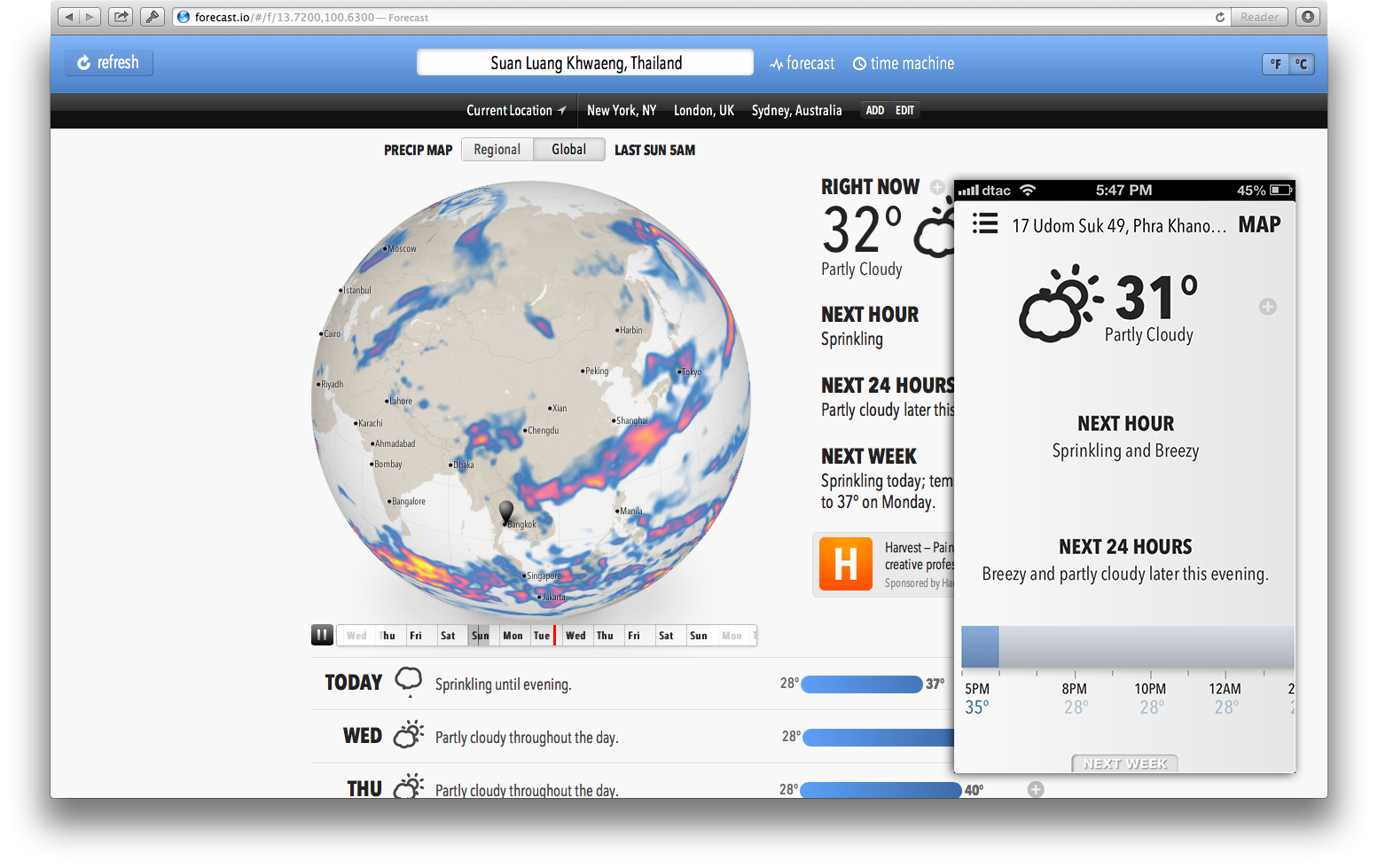
At least that's what the team behind Dark Sky, the popular iOS weather app, did. Their newly released Forecast.io site is the best weather site on the 'net, hands-down. It's beautifully designed, has rather accurate forecasts for almost any spot on earth (though with more specific and timely forecasts in the US and UK right now), and lets you see storm system data around the globe. You can go back and look at the weather history, or peek into the future forecasts. It's packed with features, isn't cluttered with ads, and even has rather great forecasts for small towns in Thailand, something most weather apps don't have.
It works great on your desktop browser, but is even more amazing on your smartphone, where it honestly feels as responsive as a native app. That's pretty amazing for a web app.
Even neater, the Forecast team is opening the data from their new weather service to other developers, which will hopefully spark more new awesome weather apps. They also made their set of animated weather icons, Skycons, open-source for others to use.
Now that's how you build momentum around your app. Awesome work, Forecast.io team. You've turned me into a fan, overnight.
"Email gets a lot of hate these days, but it truly is the king of communication." ~ David Heinemeier Hansson
…says one of the most influential guys behind Basecamp, the project management app we use at AppStorm (and that I use personally as well with the new Basecamp Personal). The funny thing is, I use Basecamp via email most of the time, and it works great that way.
I think this is why: the Basecamp team gets why email is still important, and designed Basecamp to almost extend email instead of replacing it. Everyone wants to replace email, but I honestly can't imagine any other web app working so good: it works no matter what email app or service you and your team are using, is easy to archive and search, and has been around for decades. And I think email's here to stay.
The rest of the interview is great if you'd like insight from the 37signals partner about why he thinks working from home is the future … and why email will continue to be a big part of that.
There's a little trend that keeps bugging me: successful people writing about how college isn't that important. Steve Jobs, Bill Gates, and Mark Zuckerberg dropped out of college, so surely the rest of us would be so much more successful if we dropped out of — or simply skipped — college.
I faced the same dilemma. I was already employed — in a job and company I love and have continued to work for — during my last year of college. A college degree suddenly didn't look so important, especially when balanced against the growing bills said degree was generating. I seriously considered dropping out of college with only a couple dozen credits left to finish.
And why not? The world's changing, and a degree is no guarantee of success today (though really, was it ever?). Education seems to only be a click away — who needs to study when you could check Wolfram|Alpha and Wikipedia for the answers? Plus, if you did want to study, there's all those online courses for free, right? And even if you did go to college and get a degree, everything you learn will be obsolete by the time you graduate.
Not so fast. I did finish my degree — and am glad I did, even if graduating didn't directly change my career — and here's why I believe a college degree is still a very worthy goal, even in 2013.
College Forces You to Study
Deadlines are a blessing. No, really. If there weren't deadlines, I highly doubt I'd have ever gotten through my classes, and I definitely wouldn't have gone through them as fast as I did.
Many people think they could study the very same stuff that you'd learn in college from the internet. After all, there's tons of online courses for free (thanks, MIT OpenCourseWare and Coursera), and you could just purchase the same textbooks from Amazon that real classes use, and study them on your own. Throw in online tutorials and more, and you'll be well on your way.
And you might be. Odds are, though, you'll quit the class before finishing. You know how many tutorials you've bookmarked and books you own that are collecting dust.
"But I might quit college too", you could counter. Ah, you could, but after working towards the degree and investing any money and time into it, you'll be a lot less likely to just throw it out as quickly as you'd close a browser tab.
College Makes You Broaden Your Horizons
I highly doubt I'd have learned what letters of credit were for if it hadn't been for my international business class. Macroeconomics, international business, and music didn't seem like they'd be important to my career, definitely not as much as database design theory and writing classes.
There were tons of classes in my degree plan — especially business classes — that seemed like a total waste of time. However, they gave me a well-rounded education, and forced me to think beyond the things I'd learned on my own. I would have never, ever studied these things on my own. Honestly, many of the things that I studied in college that seemed to apply to my degree — Calculus II and database design theory, among others — were likely things I would have never pushed through if I hadn't been required to study them.
But I'm glad I did study them, and do believe they have helped me in my adult life already, and will continue to do so.
College Costs
I know, I know. This sounds like the worst point of them all, but I happen to think it's true. We tend to value things more when we invest more in them, and that's true with your degree as well.
Now, this won't work if you put your whole college bill on a loan, and figure you'll pay it off post-graduation. But if you have a goal of getting your degree with the least debt possible, and work very hard towards that goal while you're in college, you'll find that it teaches you a lot.
You'll find ways to make college affordable, including buying — and then reselling — used textbooks, and applying for grants, scholarships, and more — a great exercise in working with bureaucracy, something you'll have to do in real-life. You'll have to budget, plan for the future, and work hard, while still keeping your college education deadlines. It won't be easy, but it will teach you a ton of valuable lessons.
But, it's Just a Goal
All that said, if all you have under your belt on graduation day is a degree, you've failed. Everything every pundit has said about college degrees not being valuable will turn out to be true, because they're not very valuable on their own. Jobs are tough to come by these day, and life-long careers in the same company are increasingly rare, so you need to invent your own job. And you need to start that now.
College isn't the time to only focus on studying what's in your class, but it's also the time you should be building your own career. Do anything you can for experience, even free stuff (contributing to open source, volunteering, blogging) that will gain you recognition. Build your own following. Start making the stuff that you want to make post-college. Whether you plan to make physical goods, software, movies, books, or anything else, the experience will serve you well, and will give you a chance to put at least some of the stuff you're learning into action.
Also, don't quit studying. If you're interested in something your college isn't teaching you, go study it to death. That's equally important. The internet is great for that, as is the old school of trial and error. All that extra learning and doing, combined with your classwork and deadlines, will teach you what you need for life.
It's not easy. Dropping out of college — or not going at all — is easy. But committing to getting a degree, and building a career, and learning more than what you're required to, is difficult. It's the difficult stuff, though, that makes you grow.
Investing in yourself is always a good strategy.
...and no, this isn't an April Fool's joke, despite today's date.
I just wrapped up my review of Draft, the newest writing app I've been using the past few weeks. Suffice it to say that Draft is awesome, and has already changed how I collaborate on articles with some of my AppStorm colleagues. It makes version control for writing actually work and make sense, and is designed to let you save documents you write to the storage service you want.
One side note: Draft is a great proof-of-concept for Filepicker.io, also, since it works so good in Draft for opening and saving documents to online storage services. You can even create new folders in Dropbox by adding the folder name you want as foldername/ to the beginning of the file name. Every web app should be using it for saving files; it's really great.
Go on, read the whole review at the link below. Then go try out Draft. I think you'll love it.
Every tech and business pundit in the world has advice for Apple these days. They need to make an iPhone with a bigger screen, a cheaper iPhone, a watch, a TV, better versions of everything they make, and release them all faster than their current annual product cycle.
So what does Apple do? They counter the negative press — and Samsung's recent gadget launches — with simple, beautiful sites about the best in their own iPhone 5 and iPads.
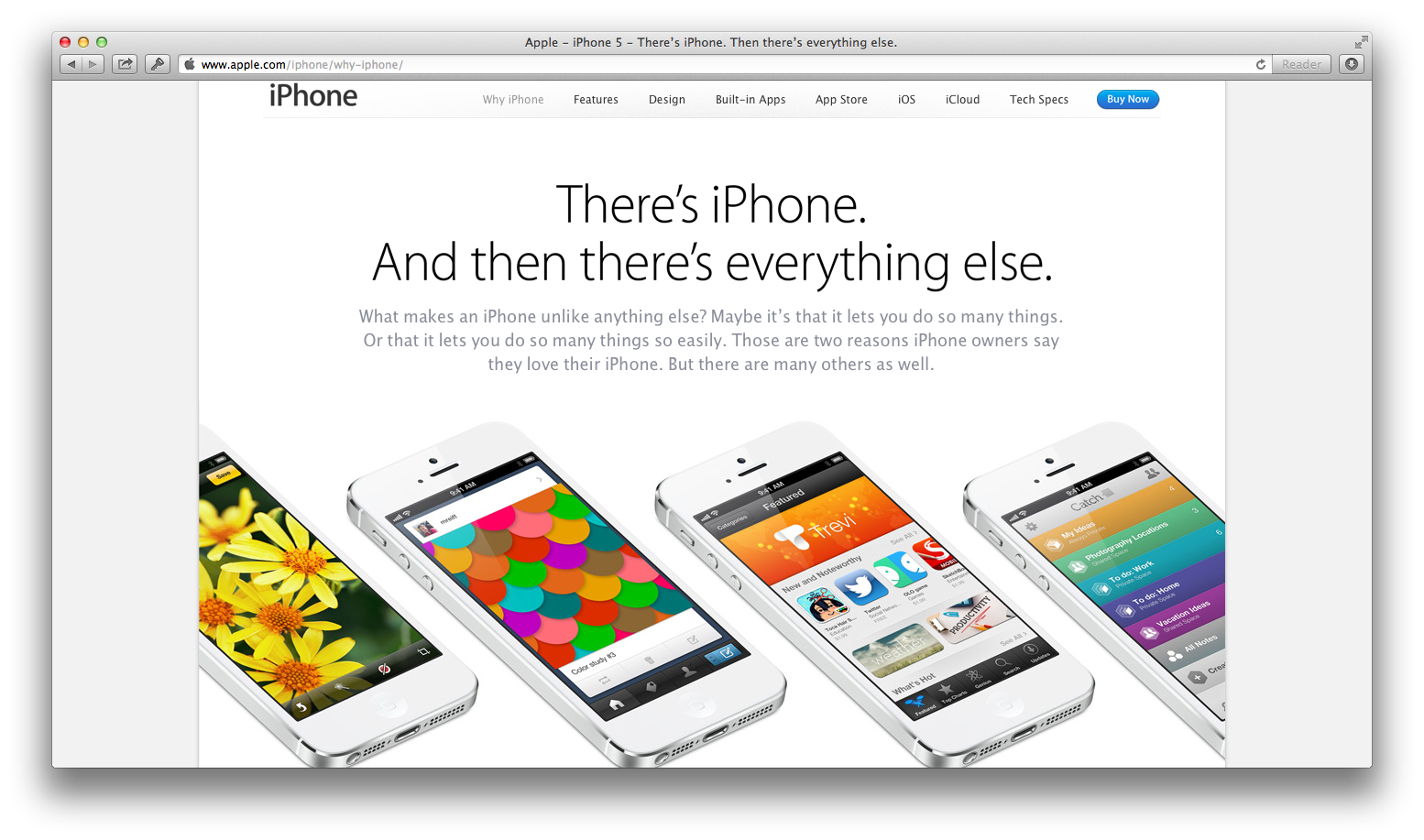
Go check them out: there's a new "There's iPhone. And then there's everything else" site, as well as a just-launched "Why you'll love an iPad" site. They both tell the story of why Apple sees its devices leading: JD Power awards, the best app ecosystem, industrial design, and long battery life.
Apple's different than everyone else. They make the devices they think are best, in the sizes they think are best, and stand by their decisions. They might release a device in a different screen size — no one outside of Apple, Inc. can really answer that until/unless Apple announces said devices — but if so, they'll have a reason for it, and that reason won't just be because every Android phone maker is making larger screen phones.
Everything about Apple's design and marketing screams choice. They chose the screen size that they thought would work best, chose to make sure long battery life was a priority, chose to use the best materials to make their devices. Then, customers choose Apple products, choose what apps they want to use on them (note that Apple devices come with far fewer preloaded apps than most Android phones, and how most Android phones' marketing focuses on preloaded apps).
Apple's choosy. It wants its customers to be choosy. And that seems to be working, stock price regardless.
Plus, sticking to one design that's working must not be such a bad idea. Samsung even decided to copy the idea with their Galaxy S4, which is almost identical in design to their Galaxy SIII. It's almost like they saw that the iPhone 4 and 4S had the same design, and the iPhone 5 had a similar-yet-different design, so they copied the idea of new-but-same.
Oh, and they apparently didn't get the cheaper phone memo, either, since the S4 will cost $50 more than the S3 did — and than the iPhone 5 currently costs — on US contracts. Too bad Apple will get soundly criticized and more if they do the same things this year.
Samsung can't choose. It makes Android phones, but also makes Windows Phone 8 devices and is working on new Tizen-based phones. It makes dirt-cheap (and dated) devices, as well as top-of-the-line phones. It sells phones and tablets in every screen size imaginable. It can't choose one thing to work on, the thing it really believes in. It gets press by flooding the market with devices, devices that are increasingly hard to differentiate. It can't choose.
Yet somehow, I don't think Apple cares. It chose its own path, and no matter what, it'll continue to be choosy about what it thinks matters. And it thinks we'll continue to choose them. That gives me more hope than anything.
Here's a list of the apps and hardware I use daily, freshly published on Mac.AppStorm. It's not everything I use, but it's the most important stuff that I use to get work done every day. The stuff I couldn't live without.
There's only one quick change to the article since it was published: I'm now using the new OmniFocus 2 Alpha. And yup, it's awesome. Can't wait to see it released to the public. But you still can't go wrong with OmniFocus 1; even if you've never used it before, you can buy it today and you'll get OmniFocus 2 for free.
If you have a chance, I'd love it if you could leave a comment on the article at Mac.AppStorm letting me know what apps you use daily, or if there's any apps you think I should switch to!
My favorite iOS code editor — Textastic — is now on the Mac, and it's really, really nice. For $2.99, you'll get a code editor that can rival the best code editors, at least for basic code editing, and that's impressive. Check the full review at the link below for more info.
Now, if it just gets integrated FTP uploading on the Mac like it has on iOS, I'll have a single-app solution for publishing to Techinch from my Mac and iPhone. Oh, and for the record: I'm using the Solarized Light theme with the Source Code Pro font in Textastic on both my iPhone and Mac right now.
I just reviewed the latest version of Microsoft's Office Web Apps, and found them to be quite the handy online tool — even perhaps the best alternate to desktop Office itself. Actually, they worked so good that I even used Excel Web App to embed a PivotTable in my Real Racing 3 review before I finished the Office Web Apps review.
Here's the funny thing: the Office Web Apps let you easily take your files out of and keep backed up as real files on your computer by default. That's a far cry from Google Docs' online only format that no other app can read.
Turns out, Microsoft's really doing something right on the web with SkyDrive and Office Web Apps.
If you keep up with news about mobile games at all, you've likely heard complaints about Real Racing 3. It's a free game, but one that reviewers have complained could cost you over $500 in real-world money. On the other hand, it's one of the most downloaded games on the App Store, with great ratings by users. So who should you believe?
I'm typically strongly against free games with in-app purchases for money and coins, since most essentially force you to pay to keep playing — often far more than you would have paid for a game you outright buy. Games that are free to download but let you pay to unlock the rest of the levels — and then let you restore your purchase in the future — seem fine to me, but ones that let you use real-world money for purchases that get used up in the game (such as speeding the game up or enhancing gameplay in some way for a limited time), though, are definitely not ok in my book.
After playing Real Racing 3 off-and-on for several weeks, I've found that it falls on the good side of my freemium game scale. Here's why: you really can play it 100% for free. It's good enough, I'd highly recommend you download it from the App Store or Google Play Store, depending on your device, if you enjoy racing games at all.
That's my short review: Real Racing 3 is great fun, and while there's in-app purchases at almost every turn, you can play as much as you want for free. The graphics are beautiful, the racing simulation is fun, it works perfectly even if you're offline, and I'm surprised it's received as many complaints as it has.
Racing on a Budget
Here's how Real Racing 3 works. The game, like most freemium games, has two types of in-game currency: money (called RS$), and gold. You'll get money for winning or completing races (ranging from, say, $800 for a short race to over $10,000 for a long, advanced race), and unlocking new events in the game ($2-3,000 each). You'll get gold — 3-5 coins at a time — for getting to a new driver level, or for completing parts of a series.
Repairs
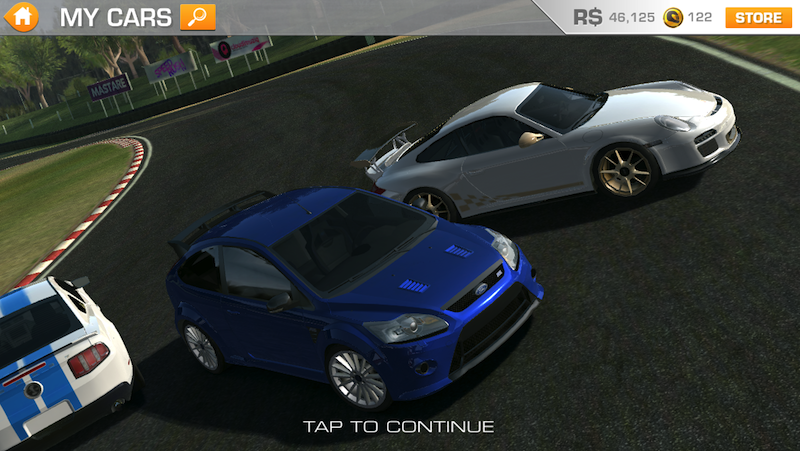
You'll start off with RS$35,000, enough to buy one of the cheapest cars (I went with the Ford Focus) and get started. As you play, you'll end up damaging your car, leaving you needing to pay to, say, replace your windshield or rear-view mirrors (yes, you'll see that damage in-game while playing). You're almost guaranteed to make enough in a race to more than pay for your repairs, and you can repair instantly. Just a few taps at the end of a game, and you're fixed.
Want to keep from having to get so many repairs, and have a better shot at winning a race? Break ahead of the pack of cars (as many as 22 in some races) as soon as possible. Otherwise, you'll end up slamming into other cars throughout the race. Also, stay on the track: you'll go faster, and need less repairs (yes, driving on dirt seems to damage your car far faster than it would in real-life).
Servicing
What takes more time — and money — is getting your car serviced. Over time, you'll need to get your oil and tires changed, as well as get your engine, suspension, and brakes service. This will take RS$ as well as time, up to 15 minutes for some servicing. Your car's performance will be worse until you get it serviced when it's needed, so you'll want to go ahead and do it.
The game will offer to let you spend coins to get repairs done immediately, but I'd recommend just waiting since coins are far more scarce in the game. Since it's a mobile game, if you play it like most of us play casual games, you'll be able to pay for, say, 15 minutes, then get the servicing done to your car and go on with life. Next time you want to play, your car will be ready. You can also do get multiple things services at once, so waiting on, say, your oil until your engine needs serviced too lets you take less time.
Yet another tip: once you have 2 or more cars, you can just play with another car while the other one is being serviced. You'll likely never need to literally wait for servicing with that.
Upgrades
Now, each car you buy will need upgrades for the best performance, something you'll noticed the need for as you progress through a series. You'll find upgrades for everything from your engine to your exhaust (sadly, there's no Tesla cars in Real Racing 3), and each upgrade will boost your car's performance in some way. They get very expensive, though, especially for more expensive cars, and some top-level upgrades will be billed in coins rather than RS$.
Upgrades will take time to be delivered, but you can keep racing your car while waiting for upgrades to come, albeit without the extra performance. Yes, you can pay coins to get upgrades immediately, but I'd again recommend not using coins to speed things up. If you want an upgrade that costs coins, use them there, but don't use coins to speed things up unless you're ready to shell out real world dollars to buy more coins. There's also one more upgrade you can use coins for: changing your car's color. Yup, that's another coin use I'd strongly recommend against.
All upgrades aren't necessary, per-se, but I did fully upgrade my first car to get the most out of it. Cars I purchased later on, though, have only gotten some of the upgrades since I got a bit more frugal with my in-game money.
New Cars
So you've kept racing, gotten your first car upgraded and in perfect repair, and now you've got quite a savings of RS$. It's time to get a new car. Only thing is, which car should you get?
Each event in Real Racing 4 includes the option of 3-4 cars, but you only need one of those cars to get into that event. Each car stars in at least 2 events, and 6 of the cars are in 3 events. Thus, when you purchase your next cars, you'll want to purchase ones that are in events — and hopefully series — that the cars you already have aren't in yet. There's no reason to buy another car from the same event you're already in, since you'll just end up playing the exact same events over again with a new car.
Here's a table I put together that should help you — at least a little — in finding the car you should buy to get into the events and series you want:
If you've saved your coins throughout the game, and haven't used them to speed anything up, then you'll end up with a decent collection of them over time. There's then 2 cars that sell for coins rather than RS$ that end up being approachable: the McLaren MP4-12C for 65 coins, and the Porsche 918 RSR Concept for 150 coins. The latter is how I plan to use my coins when I've earned enough.
Yet another option is spending real-world money for a car pack. There's several car packs that include one or more cars and some gold for, say, a couple real-world dollars. That's not such a bad price if you want more racing fun without waiting for in-app winnings.
There's also the crazy spectrum here: there's supercars that over RS$2.2 million, as well as ones that cost 400 and 800 coins, respectively. Those would cost you $40-$80 in real-world money if you were to buy them with in-app purchases, and would take more time to earn with in-app winnings than most of us would ever play a mobile game. But, still, most of the cars are well within the approachable price range for purchasing them with a reasonable amount of in-app winnings.
One more final thing on cars: they, too, take time to get delivered, and the wait time seems to go up with the value of the car. You could pay coins to get your car immediately, but again, I'd advise just waiting. Perhaps buy a car at the end of your racing session, and the next time you're ready to race, you'll have a new car waiting for you to drive. Not bad.
Why I Still Love Real Racing 3
Now, the racing is not terribly realistic. AI cars have a tendency to slam into your car far more than I've ever seen in a racing game, almost seeming to want to damage your car. And no matter how fast your car is, it's almost impossible to overtake the best AI cars when you're going straight, though you're guaranteed to overtake them on turns.
But you know what? It's still fun as far as racing games go. If you loved the classic Need for Speed games back in the '90's, you'll find Real Racing 3 just as enjoyable, if not more so with the high res graphics. And it also works 100% fine offline, something that can't be said for every game these days (even EA's own SimCity requires an internet connection to play now).
If there's one thing I wish Real Racing 3 didn't have — or would remove in future updates — it'd be the wait times. Using in-game RS$ to buy upgrades, repairs, servicing, and new cars makes sense, and even adding your own real-world money to add on some fancy cars is reasonable enough. The wait times is, in my opinion, what has made people so frustrated by Real Racing 3 so far. As I explained above, the wait times don't have to kill the game, or even make it that frustrating, but not having them would make it feel much more like a straight-out traditional game rather than a mobile, in-app centric game.
But you know what? I think I'll still keep playing Real Racing 3, just like I must have played the basic Proving Grounds track in Need for Speed IISE dozens of times. It's fun, and sure worth the low price of free.