Windows PCs are "known" to suffer from bitrot, an ailment where a computer over time becomes—real or perceived—slower and slower, typically as more software is installed. Every so often, perhaps once a year, faithful PC caretakers would backup their machines, reinstall Windows from scratch, and then reinstall just the software they needed. And with that arduous ritual complete, the PC would miraculously be healed—at least for the moment.
We're 8 years into the Post PC era, since the iPhone rocked onto the scene and promised us that computers would never have to be as difficult to use again. An app here, a notification there, and you'd rarely need to touch your PC again. A tiny supercomputer in your pocket could be your camera, your iPod, your GPS, your books and newspapers, your everything. Throw in a cell connection or Wifi, and you'd never lack for anything again.
Except for space, that is. As phones have come with ever-better cameras and larger Retina displays that require larger graphics to look nice, the standard storage space in base-model phones has been stuck at 16GB (or 8 for more budget phones) for years. iCloud every other online file storage service don't really alleviate the problem—they're simply another place to keep your files backed up, and except for rare cases (aka iCloud Photo Library when it works well) they don't offload your phone's own storage seamlessly. Apps aren't smart, either: Facebook and so many other apps will keep far too much in their app cache, holding onto images and more in case you want to see them even when your phone's running out of space.
And so, the longer you stick with the same phone—installing updates, downloading new apps, syncing streaming music for your flight, and snapping more pictures than ever—the more likely your phone is to run out of space. You could copy photos off, but that keeps you from being able to scroll back through years of photos as Apple likes to showcase in Keynotes. There's always an app to delete, but it's hard to let go and remove stuff you might want to use again.
Back on a PC, you'd just wipe everything and reinstall Windows every so often. Which is almost what I did to my iPhone 5 recently. Its 16GB of storage had been maxed out for too long, despite telling iCloud to optimize my local photo storage and deleting most of my downloaded music. It wasn't just that I couldn't download more stuff—it's that my phone got slower and slower that was so annoying. Apparently every time something needed storage, iOS tried to figure out what it could delete—and I was left waiting.
No longer. I could have deleted individual apps and deleted-then-reinstalled apps like Facebook to hard-clear their cache, but instead I took the nuclear option.
A quick trip to Settings -> General -> Reset -> Erase All Content and Settings, then setting up my phone as a new phone and installing only just what I had to have, and my phone was back to feeling snappy as iOS 8 would let it. It's still a several year old phone, but with some storage breathing room it's not a half-bad device.
But it's crazy it takes that. For all the promise of better cameras and more online storage and everything else annual keynotes promise, one of the original problems of tech is back to being an issue: storage space. That, of all things, shouldn't be what's holding smartphones back today. If Apple wants to celebrate the amazing apps in the App Store and the newest versions of iOS, it needs to make sure our devices have enough storage to handle them—whether through smart cloud services that offload files you rarely need to the cloud, or simply through adding far more storage to base models of iPhones.
There's an Apple announcement this week for what we presume will be called the iPhone 6S, and since I'm due for an update, I'll likely get it regardless of what new is added. I'll also likely spring for more storage space this time, simply because it's annoying to live with less. But even still, it's time to bump the storage levels—drastically. 16GB isn't nearly enough to get by with in 2015.
Until then, it's time to wipe your smart devices once a year again.
It's easy to dive head-first into a project, starting on the tasks with the end result in mind—and scarcely a thought to how you'll actually get your project finished. Surely if you work hard enough, everything will come together.
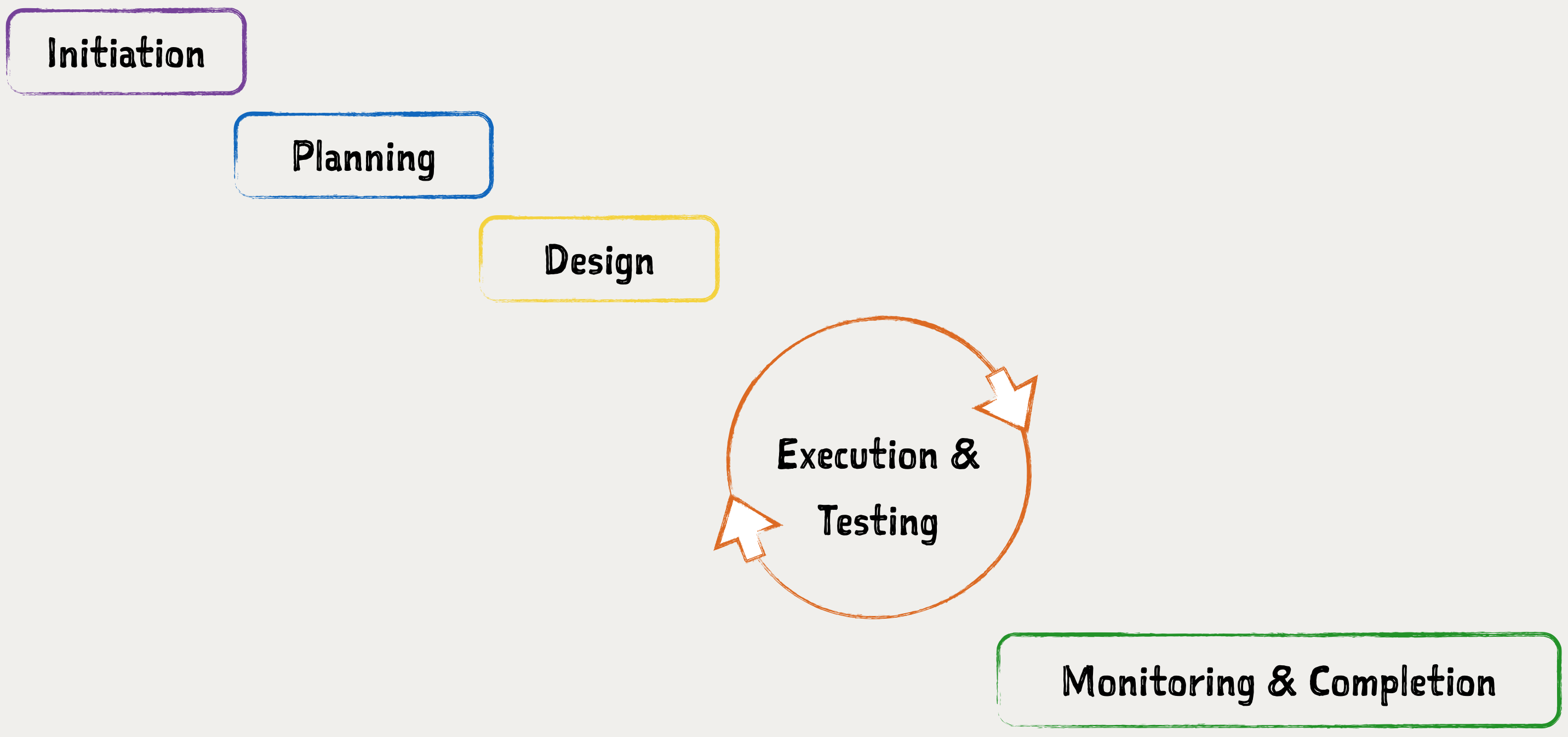
But when there's 3 lives at stake—and the whole world's watching—you can afford to work haphazardly. The Apollo project only put humans on the moon thanks to a detailed project management system, one you likely need for your own projects.
The Zapier team is working on a new book on Project Management, and as the first taste, we've written an in-depth guide to each of the most popular project management systems complete with illustrations to help them be a bit easier to visualize (and a bit less boring). It even starts off with a detailed story about how NASA's project management made Apollo 11 a success—something to motivate you into adopting a project management system of your own.
Writing a book is the tough part—getting it published should be easy nowadays. Instead of needing a publisher, anyone can submit their own book to the Kindle and iBooks stores and be a published author in hours.
And yet, it's not quite that easy. The first times we tried to publish books on the Kindle and iBooks stores at Zapier, I ended up hand-coding XML files inside ePub exports, and spent hours figuring out how exactly to get a free book listed on the Kindle store. It was crazy.
Preview's one of the Mac's best-kept secrets. It's a simple image and PDF viewer ... and it can also make basic edits to your images and PDFs. You can rearrange pages in PDFs, merge multiple files, and even sign documents from your touchpad—that's so handy.
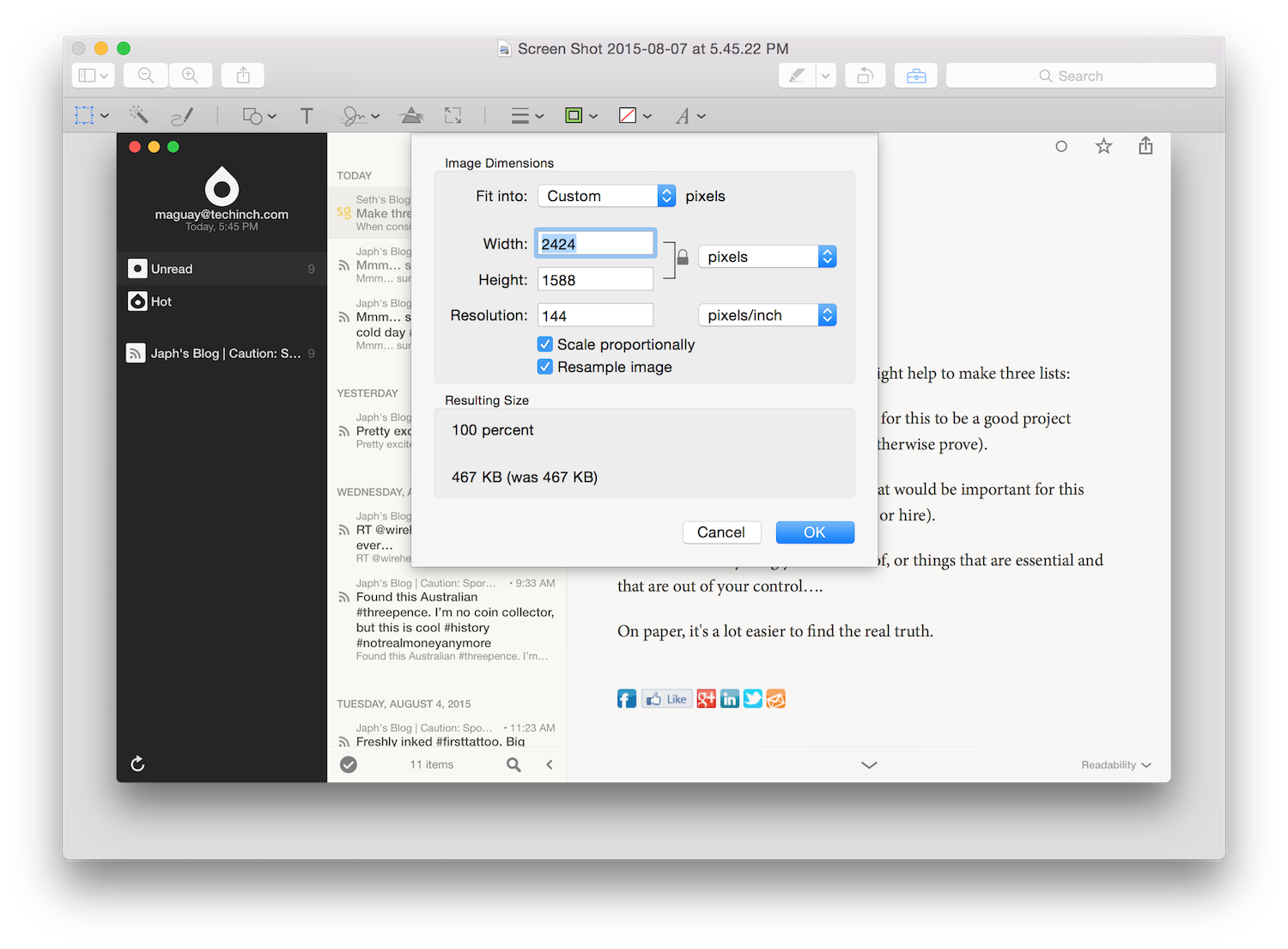
But what's even more handy is Preview's Image Adjust Size feature. With a retina display, screenshots can be rather huge—making them rather slow to load in blog posts. Just open your image in Preview, select Tools -> Adjust Size... and enter the pixel width or height you want. Tap Ok and save, and you're done.
To shrink your images more—and to shrink a batch of images at once—ImageOptim is your friend. But for simple resizes, Preview just about can't be beat.
Plus, if you want, you can rotate or annotate your image or delete private info—you'll never need another tool to tweak your screenshots again.
Forms and surveys are everywhere. You fill out census and product surveys every so often, carefully add your tax info to your tax forms every year, and seemingly fill out online signup forms a million times a day. You can't avoid them.
And then, if your business needs to collect any type of data—feedback, payment info, preferences, and so much more—then you need to make your own forms and surveys.
Which app should you choose for building them, and do you need a form or a survey anyhow? And how can you make sure your forms aren't as annoying as tax forms and those endless lists of questions at the doctor's office?
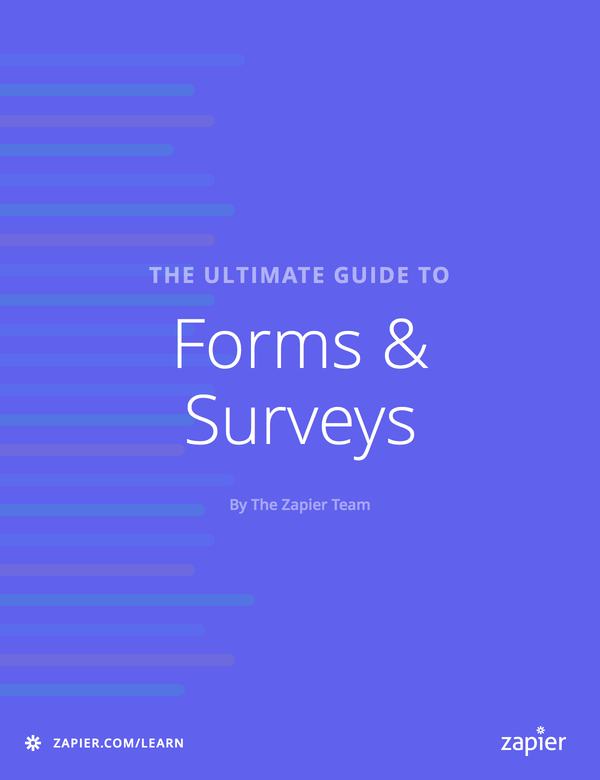
We've got the book for you: The Ultimate Guide to Forms and Surveys. The latest book in Zapier's Learn library, it'll take you through the differences between forms, polls, and surveys; show you the best apps to build any type of form or survey you need; give you pointers on how to make a great form or survey; and show you how to analyze and chart your survey data. It's what your statistics class should have taught you.
It's free, too. You can read it online or download a copy from the Zapier Learning Center, or download it straight to your devices from the Kindle Store or iBooks.
It might not be absolutely everything possible to write about forms and surveys, but it's more than enough to help you be confident in making great forms and surveys. And that's what's really important.
I've loved web apps for quite some time, having edited two sites focused on web apps and now working with Zapier which mainly supports web apps. Yet, I'm always balancing that with a love for native Mac and iOS apps—and of those, OmniFocus is one of my favorites. It's a powerful task management system that lets you dump anything you need to do into lists, and make sure you won't forget to do anything important. And its latest versions are rather beautiful.
As a native Mac & iOS app, OmniFocus only has one tiny online component—the Omni Sync Server that lets you sync OmniFocus and add new tasks via a unique private email address. We've now used that email address at Zapier to create an OmniFocus integration, so you can send tasks to OmniFocus from any of the over 430 (and counting) apps we support today.
Here are some of the ways I've already been using OmniFocus with Zapier to create tasks from Slack messages and Trello cards, and more:
There's more, too: you could connect Salesforce, GitHub, Evernote or any other web app or RSS feed you use to OmniFocus with Zapier. The tasks will only go in your Inbox, unfortunately, but at least you'll never have to copy/paste from your web apps into OmniFocus again.
It's so easy to write about tech that solves tech teams problems—thus the focus on so many blogs (including ones I've directed) on writing tools, code editors, team chat apps, and other similar things. You write what you know, and so the tools that help you with your work in the office are the most obvious things to write about.
But there's an entire other world of software that's aimed at more traditional businesses, those with brick-and-mortar stores and inventory to audit and remote locations that don't have consistent internet connections: mechanics and doctor's offices and utilities and farms and more. It's businesses like these that find it the most difficult to go paperless—and that stand to gain the most benefit from switching away from paper and clipboards.
That's what my latest app roundup at Zapier is focused on: apps that make it easy to replace paper forms and gather data remotely, even when there's no internet connection. They might not be the form apps your average tech business needs, but they're perfect to replace paper and clipboards in the rest of the businesses that keep the world running.
You've got questions. Your customers and followers have answers.
From the Zapier blog, here's the 20 best apps to make surveys. You'll find apps to make mobile surveys, apps with pre-built surveys, and even apps that make it fun to build surveys.
But the thing on the wrist is new. It is there. Strapped on. You are strapped into this new world. This future of screens in places you may not want them. And so you must embrace it. This thing on the wrist. It will not make you better. It will not change your life. Someday, perhaps. The potential is there. But not now. It is still a baby.
"Upon This Wrist", Craig Mod
My first PC—a Compaq LTE laptop—was a limited little beast. It weighed a ton, had only a 75Mhz processor, and would struggle on anything beyond DOS games and SimCity. And of all the things it could have come with, it only included 2 Office apps: Word and Access '97.
And so, I made my first apps. I wanted Excel, but didn't have it, so I made little Access tools for the things I wanted: a basic schedule, a stamp collection database, a contacts book, a crude finance tool. I never did that much with it—didn't even dig into coding macros—but it was enough to make me excited about the possibilities of making software without programming (all the more exciting as I sloughed through Java textbooks).
Today, there's a lot more you can do without coding, from far more polished versions of Access and web apps that are even easier to use. I've just rounded up the best of them on the Zapier blog, along with some tips on how to use your new simple tools alongside the rest of your software. It was a fun exploration for me, and hopefully will help you find the tool to jumpstart your next project.
Next time you need a tool, don't open the App Store. Fire up one of these apps instead, and see what you can make on your own. And have fun!