
Today todo | Simply Focus on What You're Doing Today
Tired of all the me-too todo list apps on your iPhone or iPod Touch? Sometimes it seems like everyone tries to make their apps look as much like other popular apps as possible, especially for productivity apps. Today Todo is a fresh change that takes your tasks into a new day, literally. Apple recently featured Today Todo in their list of essential College Survival Kit apps, so let’s take a look and see how it will help you manage your time, assignments, and more.
Yesterday, Today, Tomorrow, and the Future
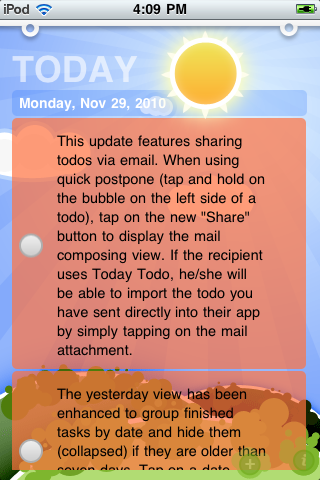
When you first install and start Today Todo, you’ll be greeted with a bright sun and blue sky, with todo’s floating on top. The default tasks are a tutorial that help you quickly get up-to-speed on how Today Todo works. Once you’ve finished a task, just press the circle on the left to check it off.
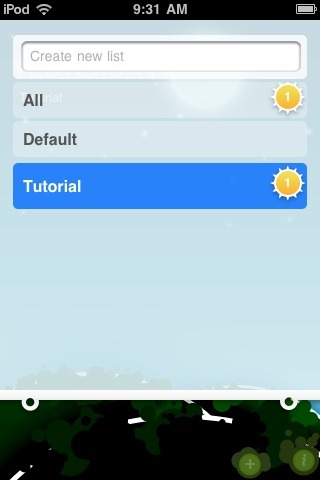
On the top of each screen, you’ll notice a small white pull-down shade. This shows your lists of tasks, where you can separate your tasks, say, into school, home, work, or other categories. Tap the category you want to see the tasks it contains, or tap All to see all the tasks you’ve added to every list.
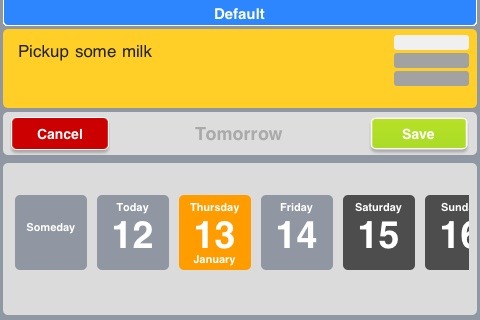
To add a new task, just tilt your device to the left or right and start typing. You can press the plus button to add a task, but just turning the device is much simpler! Type in your task on the top, then select a date for it on the bottom. You can also tap one of the three bars on the top right to select a priority for the task. There’s no tagging, notes, or location … just your task, the priority, and when it needs done. Once you’re done, just flip your iPhone back up to see your filled task list, or just press save and immediately enter another task.
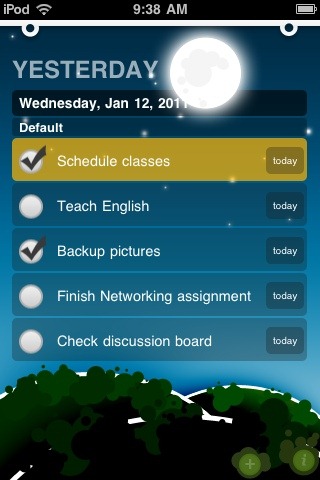
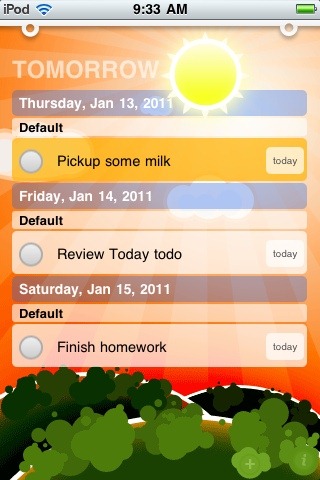
To view your tasks scheduled for the future, swipe the sun icon on the top to the left. Swipe again to see tasks scheduled for Someday without a specific date to be completed. Then, once you’ve completed tasks, you’ll see them show up in the Yesterday screen which you’ll find by swiping the sun to the right from the Today screen. This is a cute way to keep everything organized by the time you need to do it.
Edit and Backup Tasks from your PC
One frustrating thing about many todo list apps is that they leave your todos on your iPhone. Whether or not you enjoy typing on your phone, sometimes it’s easier to type on a full keyboard. Plus, sometimes you can just copy and paste tasks you need to do from a webpage very quickly from a full computer. Today Todo includes a neat web server mode that lets you add and edit tasks from any computer or browser. Just tap the I icon in the bottom right corner of the app, then tap the slider beside Enable web server.
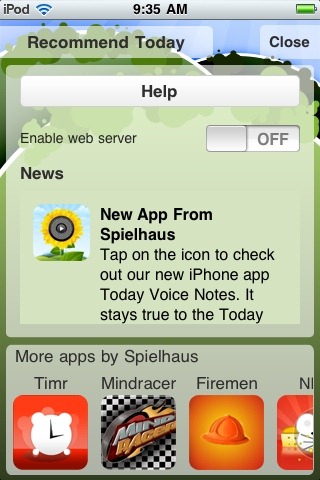
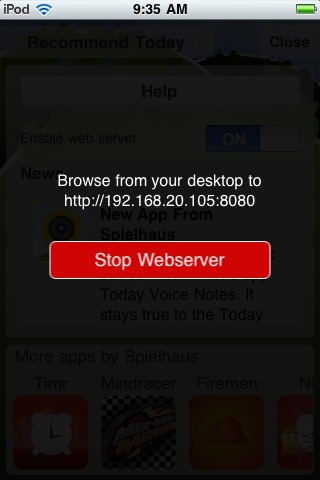
Now, browse to the address listed on your device on your PC or Mac, and you can view and edit all of your todos on your iPhone directly from your PC. Changes are saved to your device directly, so whenever you’re finished just tap Stop Webserver on your iPhone or iPod Touch and you’ll immediately see your updated task lists on it.
![sshot-2011-01-12-[1]](https://techinch.com/wp-content/uploads/2011/01/sshot-2011-01-12-1.png "sshot-2011-01-12-[1]")
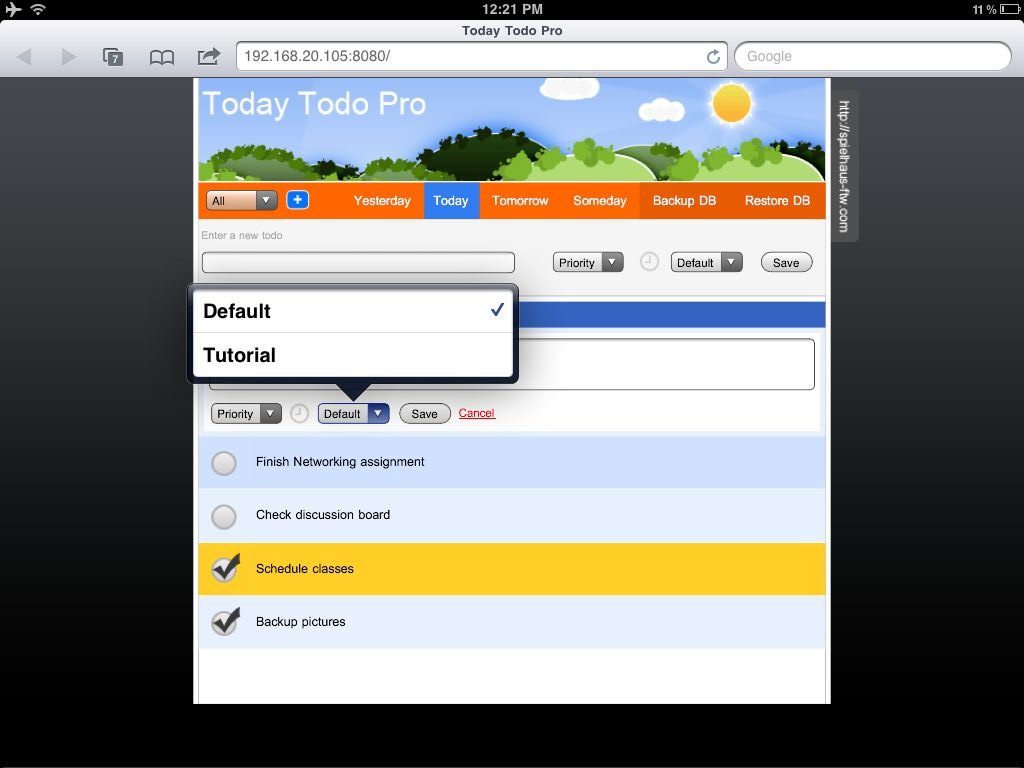
Today Todo doesn’t include an iPad version, but you could run it on an iPad in iPhone mode. Or, you could always view and edit your todos in the webserver mode in Safari on your iPad. This way, you can view, edit, and add todos to your iPhone or iPod Touch from a larger keyboard without using a PC at all!
Conclusion
Truth be told, I didn’t expect as much from this app as it offers, and figured it wouldn’t be as serious of a to-do list app with the whimsical background images. I was pleasantly surprised to find that Today Todo is one of the most intuitive todo list apps I’ve tested. I especially liked the way you can just tilt your device to add a task, the tilt it back to see your list without pushing any buttons or closing dialogs. Plus, the backgrounds actually add a nice, carefree attitude to the app. For once, managing tasks is actually fun!
My only complaint would be that Today Todo doesn’t keep a log of the tasks you’ve already completed, so you can only see your tasks from yesterday. That said, if you’re looking for an affordable and simple way to keep up with the things you need to do today and in the future and don’t want to fuss with notes, tags, or anything extra, this is a nice app you should definitely try. It’s scheduled tasks at it’s best!
Additionally, if you’d like a free todo list to just keep up with what needs done today, you can download Today Todo Basic, which lets you only add tasks for today and see what you did yesterday. It’s a great way to try out Today Todo’s interface for free, too.
Our Rating: 9/10

Download Today Todo for iPhone from the App Store | $3.99
Thoughts? @reply me on Twitter.